
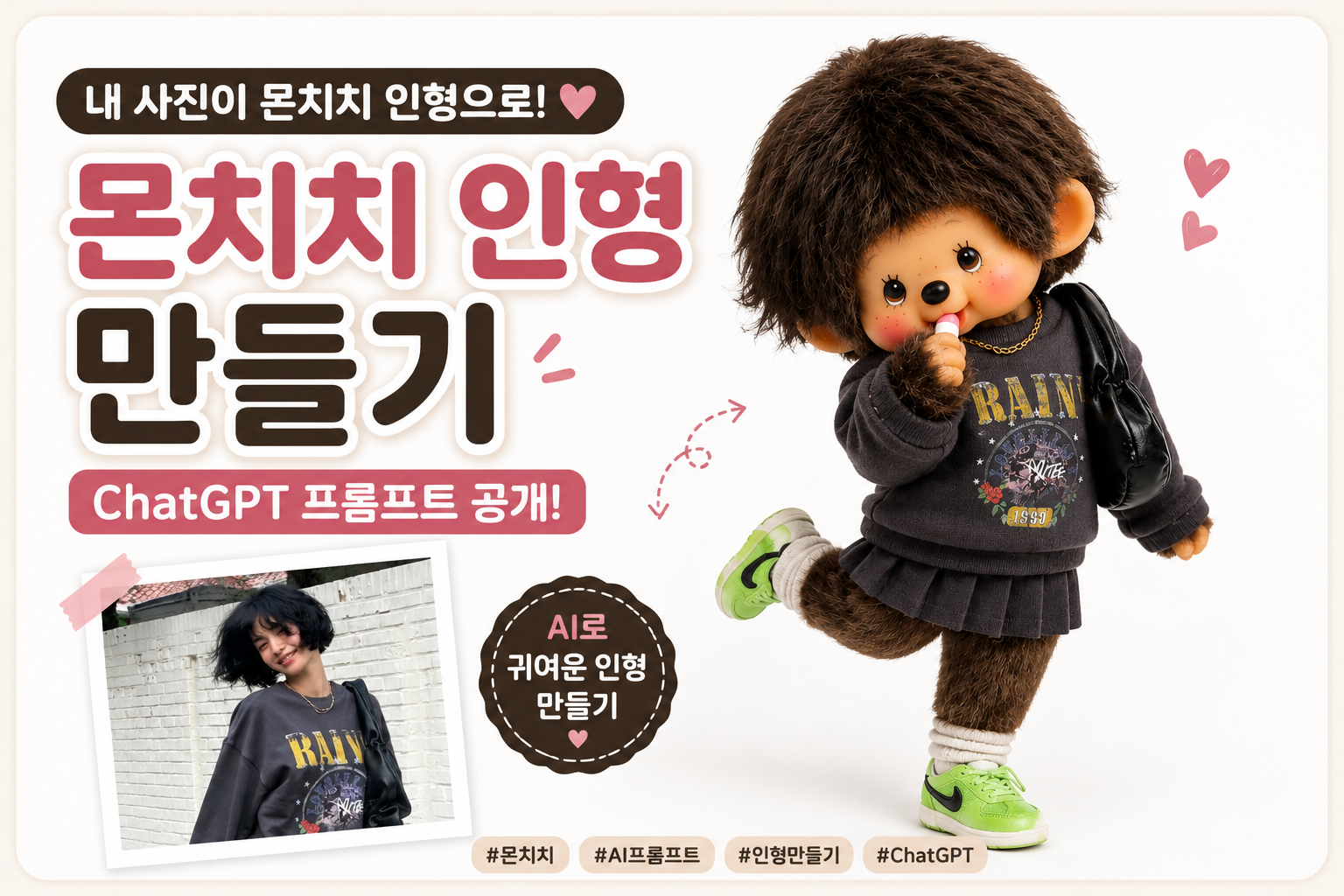
요즘 SNS에서는 자신의 사진을 귀여운 캐릭터 인형으로 바꾸는 AI 콘텐츠가 인기를 끌고 있습니다.
키티 인형, 라부부 인형에 이어 최근에는 복슬복슬한 털과 귀여운 표정이 매력적인
몬치치(Monchhichi) 스타일 인형도 많은 관심을 받고 있는데요.
사진 한 장만 있으면 실제 굿즈처럼 보이는 나와 닮은 몬치치 캐릭터를 만들 수 있습니다.
Today, I'll show you how to transform your photo into a cute Monchhichi-style plush doll using ChatGPT.
몬치치(Monchhichi)란?
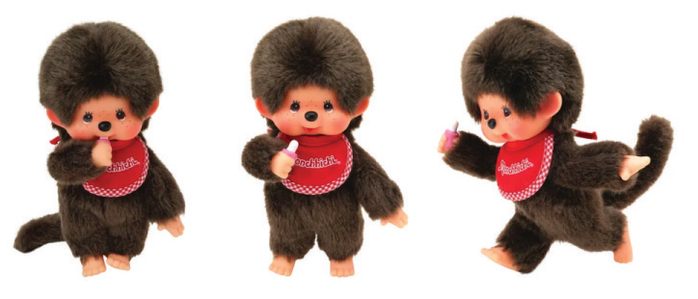
몬치치는 1974년 일본에서 탄생한 캐릭터 인형입니다.
복슬복슬한 갈색 털, 통통한 볼, 손가락을 입에 물고 있는 귀여운 포즈가 특징입니다.
Monchhichi is a classic Japanese doll character known for its fluffy brown fur, adorable face, rosy cheeks, and signature finger-in-mouth pose.
✔️준비물 What You Need

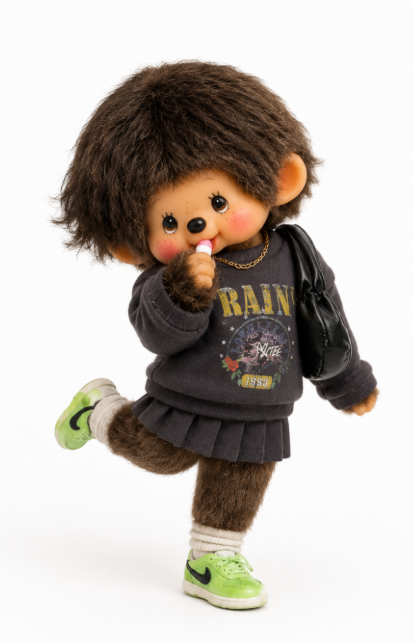
전신 사진 1장
ChatGPT
아래 영문 프롬프트
For best results,
use a full-body photo with visible clothing details
and a clear pose, a Prompt
📄ChatGPT 프롬프트
| [한글 프롬프트] 업로드한 사진 속 인물을 몬치치 스타일의 캐릭터 인형으로 변환해줘. 전체 실루엣은 몬치치 특유의 둥글고 통통한 원숭이 인형 형태로 만들고, 부드러운 플러시 털 질감과 자연스러운 무광 마감으로 표현해줘. 몬치치 특유의 복슬복슬한 갈색 털 스타일을 유지해줘. 사진 속에 리본, 머리끈, 헤어 액세서리가 있다면 동일한 위치와 스타일로 적용해줘. 얼굴은 몬치치 특유의 귀엽고 단순한 형태로 표현해줘. 동그란 얼굴, 작은 검은 점 눈, 작은 코, 통통한 볼, 자연스러운 홍조를 표현해줘. 몬치치의 대표 포즈처럼 손가락이나 젖꼭지를 입에 물고 있는 모습으로 표현해줘. 원본 사진의 포즈, 손동작, 시선 방향, 얼굴 각도를 최대한 동일하게 재현해줘. 의상은 원본 사진의 색상, 소재, 패턴, 액세서리를 최대한 유지하되 몬치치 체형에 맞게 귀엽게 재구성해줘. 사진에 없는 요소는 추가하지 마. 캐릭터는 화면 중앙에 전신이 보이도록 배치하고, 배경은 깔끔한 흰색 배경으로 설정해줘. 부드러운 스튜디오 조명과 자연스러운 그림자를 적용하고, 고품질 3D 렌더링으로 표현해줘. 실제 봉제인형 같은 플러시 털 질감, 수집용 피규어 수준의 디테일을 적용해줘. 전체적으로 귀엽고 복슬복슬한 빈티지 몬치치 감성으로 표현해줘. |
[영문 프롬프트] Transform the person in the uploaded photo into a cute Monchhichi-style plush doll character. The character should have Monchhichi's signature rounded and chubby monkey doll silhouette, featuring soft plush fur, realistic stuffed toy texture, and a natural matte finish. Keep the iconic Monchhichi fluffy brown fur hairstyle. If the original photo includes ribbons, hair ties, bows, or hair accessories, recreate them in the same position and style. Create the face in classic Monchhichi style with a round face, small black dot eyes with subtle shine, a tiny nose, chubby cheeks, and natural rosy blush or freckles. Include Monchhichi's signature pose by having one finger or a pacifier gently in the mouth. Match the original pose as closely as possible. If the person is sitting, the doll should also be sitting. If leaning or resting their head, recreate the same posture, hand gestures, head angle, and gaze direction. Recreate the outfit from the original photo while preserving the colors, materials, patterns, accessories, and visible details. Adapt the clothing to fit Monchhichi's short and chubby body proportions. Do not add any props, decorations, accessories, or elements that are not visible in the original photo. Place the character in the center of the image with a clean white background and no additional objects. Use soft studio lighting, realistic shadows, and premium-quality 3D rendering. Ultra-detailed plush fur texture, collectible designer toy quality, realistic stuffed animal craftsmanship, full body visible. Overall style: adorable vintage Monchhichi doll, fluffy brown fur, nostalgic toy aesthetic, premium plush character, realistic toy photography, minimalist composition, clean white studio background. Japanese vintage Monchhichi doll aesthetic, ultra fluffy fur, collectible toy quality, realistic plush texture, premium 3D render, nostalgic kawaii character, clean white studio background. |
프롬프트를 사용하기 위해선 사진을 캡쳐한 후 ChatGPT에게 '텍스트로 작성해줘' 라고 요청하면
이미지 속 내용을 텍스트로 변환해 줍니다.
To use the prompt, capture the photo and ask ChatGPT to 'write it in text' to convert the contents of the image into text.
🍀결과물을 더 예쁘게 만드는 팁 (Tips for Better Results)
1. 전신 사진 사용하기
의상과 포즈를 정확하게 반영할 수 있습니다.
Use full-body photos for better outfit and pose accuracy.
2. 손동작이 보이는 사진 사용하기
몬치치 특유의 귀여운 포즈가 자연스럽게 표현됩니다.
Visible hand gestures create more authentic Monchhichi-style results.
3. 액세서리가 잘 보이는 사진 선택하기
가방, 안경, 모자 등의 디테일이 더 정확하게 반영됩니다.
Choose photos with visible accessories for more detailed results.
최근 AI 캐릭터 콘텐츠 중에서도 몬치치 스타일은 특유의 복슬복슬한 질감과
빈티지 감성 덕분에 높은 반응을 얻고 있습니다.

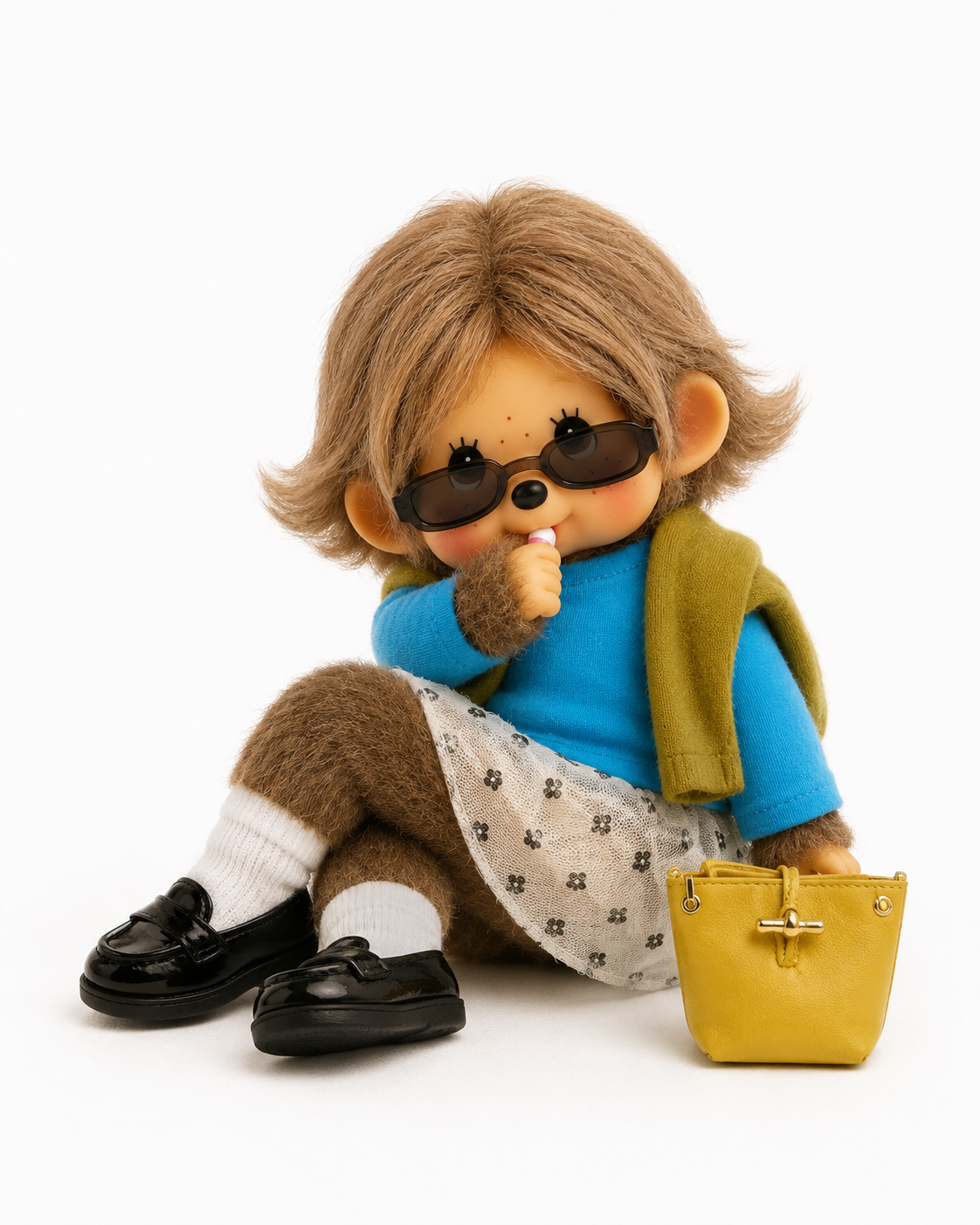
사진 한 장만 있으면 나만의 몬치치 인형을 만들 수 있으니 직접 시도해 보시기 바랍니다.


댓글